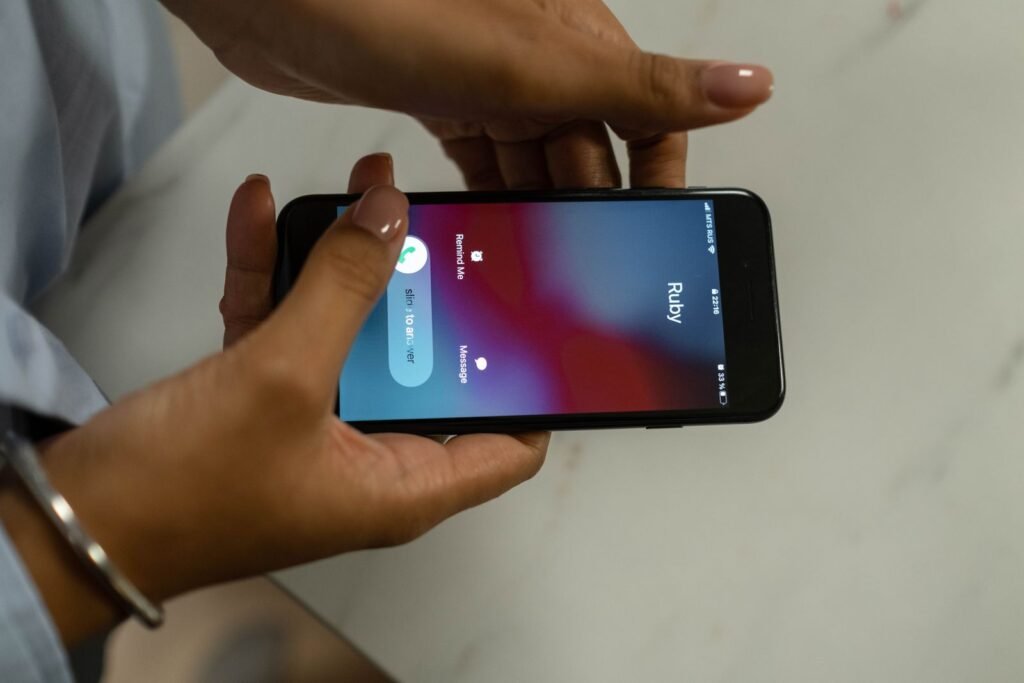
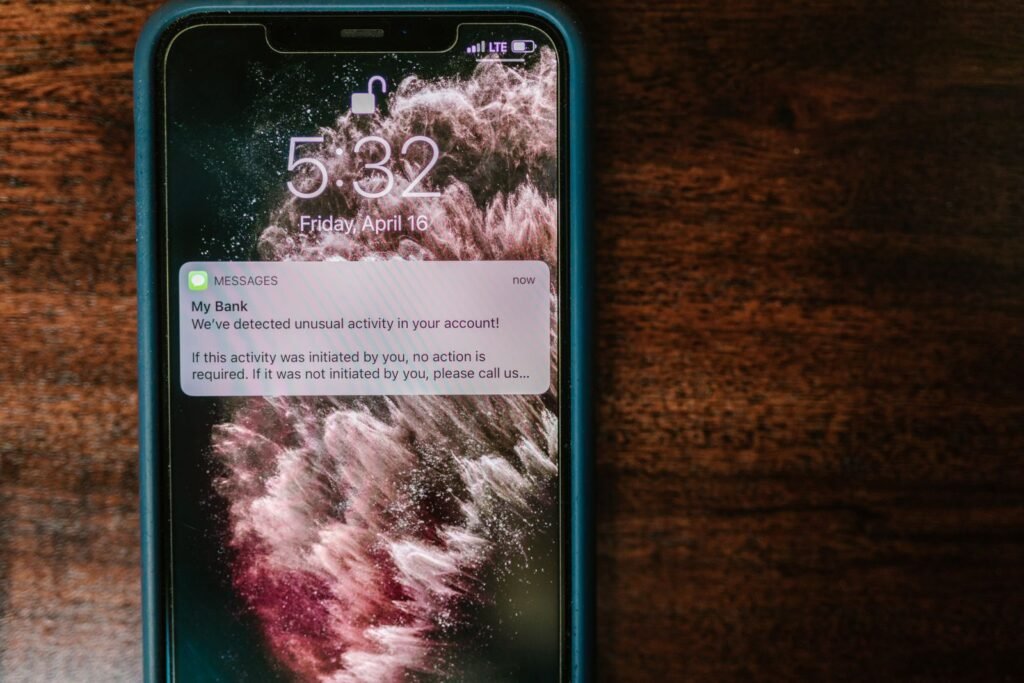
It’s 7:40 on a Tuesday and your phone buzzes face-up on the kitchen counter. A text from your bank: Did you send $400? Reply YES or NO. You didn’t send anything. So you do the careful thing — the thing your bank spent years training you to do — and type NO. Forty seconds later your phone rings, and the caller ID shows your bank’s name. Those two letters are the most expensive thing you’ll type this year. NO moved no money. NO told a stranger this number is live and someone attentive is holding it.
What the next nine minutes sound like
The voice is calm and a little bored, the way a real fraud department sounds at 7:41 p.m. He doesn’t ask you for anything — he confirms things. Your first name, your city, the last four of your debit card. That’s what disarms careful people: you were taught to watch for someone fishing, and nobody is fishing. Then a text lands from the same short code your bank always uses, carrying a real six-digit code, because a real request just got started in your name. He asks you to read it back “to authorize the freeze.”
Then the finish, which doesn’t sound like theft at all: reverse the pending charge by sending the $400 back to yourself. You open your own bank app. You type your own phone number. Your own face unlocks it. Every signal is green — and the money leaves, because the number tied to that Zelle account no longer points at you. The FTC counted $470 million lost in 2024 to scams that started with a text.
The catch: your credit card and your Zelle live under two different laws
| Credit card | Zelle or Venmo, person to person | |
|---|---|---|
| The rulebook | Regulation Z | Regulation E |
| Whose money moved | The bank’s — you dispute a bill | Yours — it already left |
| Who’s on the far end | A merchant, with a bank behind it | A person, with nothing behind them |
| Can it be pulled back | Yes — that’s a chargeback | No chain exists to pull it |
This isn’t a weaker version of the same protection. It’s a different machine. A chargeback works because a merchant sits on the far end and somebody has authority to take the money back. Zelle is a push straight into a person’s account.
Here’s the part that changes how you’ll behave forever. Regulation E builds the whole machine — the deadlines, the provisional credit, the bank eating the loss — around one word: unauthorized. If a criminal breaks in and moves your money himself, that’s unauthorized, and the problem is the bank’s. If you press send — deceived, rushed, with a stranger narrating every tap — the transfer counts as authorized, and authorized transfers fall outside that machine.
So “send it back to yourself” isn’t greed. It’s engineering. Your fingerprint on the button converts a covered crime into an uncovered payment. On a credit card you spend the bank’s money and argue later. On Zelle you spend your money and ask later. He doesn’t want your password. He wants your thumb, because your thumb erases the word unauthorized from the file.
The second catch: replying takes the Report button off your iPhone
What your bank will never do, in their own words
Bank of America: “We’ll never call and ask you to send money using Zelle® to yourself or anyone nor will we contact you via phone or text to ask for a security code.” Venmo: “A Venmo agent will never ask you for this code under any circumstances.” The FTC: “Never share a verification code. Ever.” And: “Your money is fine where it is, no matter what they say or how urgently they say it.”
One test helps, but only if you set it up before you need it: real bank alerts arrive from the same 5- or 6-digit short code every time, and a 10-digit number is a red flag. Tonight, scroll back to the last real alert your bank sent you and write that short code down next to the phone number. Then understand its limit — in the story above, the text came from the right short code, because a real request really had been started in your name. The code can tell you a text is probably real. It can never tell you that the voice calling forty seconds later is.
The first 10 minutes, in order
- Hang up. Don’t call back the number that called you, and don’t dial anything printed in the text.
- Call the number on the back of your card. The FTC’s wording: “Use the number you find on your statement — never the number the caller gave you.” Chase personal checking and savings is 1-800-935-9935. When the menu starts, say “fraud” out loud instead of guessing at numbered options — the menus get renumbered, the word doesn’t.
- Use both phrases, in this order. First: “This was a Zelle imposter scam — someone impersonating the bank. Please file it as a qualifying imposter scam claim.” Since June 30, 2023, a Zelle network rule has required participating banks to reimburse qualifying imposter scams. Then: “I also want to file an error notice for an unauthorized electronic fund transfer under Regulation E” — because if he used that code, part of this was done by him.
- Ask them to try to recall it, knowing it isn’t a right. The FTC says to “ask them to reverse the payment and refund your money.” Ask. Don’t count on it.
- Get the claim number and the date. Your notice can be oral, but repeat it in writing the same day — send those same two sentences as a secure message inside your bank’s own app, where it arrives stamped with the date, and write down the claim number and the name of the person who took it. Calling inside 2 business days preserves your best case under Regulation E, the bank then has 10 business days to investigate (45 with provisional credit), and a statement error must be reported within 60 days.
- Change your banking password, then ask one question: “Was the email or mobile number enrolled in my Zelle changed?” That token is what redirected the money.
- File it: ReportFraud.ftc.gov, ic3.gov, and IdentityTheft.gov if your identity was used. Forward the text to 7726 — it spells SPAM, free on the major carriers.
Don’t hunt for the Zelle app. It shut down on April 1, 2025, and Zelle now lives only inside your bank’s app. There’s no universal Zelle report button either — look for Security Center or Report Fraud in yours.
If it happened on Venmo instead
The Venmo version usually arrives as a fake “sign-in attempt from a new device,” aimed at your account rather than a payment. To dispute: open the Me tab, tap the payment itself, tap Need Help?, choose the reason that matches what happened to you, type what happened in your own words, and send it. For a human, use Me → Settings → Get Help → Chat With Us, and while you are in Settings, sign out of anything you don’t recognize under Remembered devices.
Know the limits first. Venmo’s window is 180 days for an item not received or badly misdescribed and 60 days for other statement errors — but that covers purchases. Venmo says it plainly: “Opening a dispute won’t resolve payments sent to the wrong person.” There’s no Venmo equivalent of Zelle’s imposter-scam rule.
Ten minutes tonight, before any of this happens
On an iPhone, open Settings, tap Apps, tap Messages, and turn on Screen Unknown Senders. Texts from numbers you have never written to stop ringing your phone and drop into a list of their own, which is exactly where a 7:40 p.m. fraud alert deserves to sit until you decide to look. To kill a text you haven’t answered yet, swipe left on it, tap the trash icon, then Delete and Report Spam. In Google Messages, press and hold the conversation, tap Block, then Report spam. Apple moves and renames these between releases — if a label on your phone doesn’t match, pull down on the Settings screen and type screen into the search box; it will land you on the toggle.
How to know you’re actually safe
Do the one-minute version now. Flip your debit card over, read the customer service number off the back, and save it as “MY BANK — REAL.” The next time a $400 text lands at 7:40 on a Tuesday, you won’t be deciding who to trust. You’ll already have the only number that could help.